
AI Use Case Identification:
Infusion AI Deploys
Infusion AI’s Use Case Identification service is a specialized approach to uncover the most potent AI applications tailored for your enterprise.
We believe in harnessing AI where it matters most, transforming potential into palpable impact.Our consultants engage in a deep-dive analysis of your organization's operations, culture, and aspirations.
By weaving together this understanding with our vast knowledge of AI advancements, we illuminate AI opportunities that resonate with your business objectives and industry dynamics.
IAI Deploys
Infusion AI proudly introduces Meta Bots, the next leap forward in conversational technology. These are not just chatbots; they are the next generation of AI-driven communication, meticulously engineered to engage in human-like interactions with unprecedented fluidity and understanding.
Meta Bots by Infusion AI represent a groundbreaking evolution in AI capabilities. Utilizing state-of-the-art natural language processing and machine learning algorithms, each Meta Bot is designed to understand context, grasp nuances, and respond with the empathy and adaptability of a human conversationalist. They seamlessly integrate deep learning technologies to deliver personalized experiences that feel as real as conversing with another human being.
Whether it’s customer support, personal assistance, or complex problem-solving, Meta Bots are equipped to handle text conversations across a spectrum of industries with ease and expertise. They are more than just responders; they are proactive entities capable of initiating relevant dialogue, offering insights, and maintaining a conversational thread with coherence and relevance.
With Infusion AI’s Meta Bots, experience the future of digital interaction where technology meets human touch. Engage with bots that understand you, remember your preferences, and continually learn to serve you better, crafting a more connected and intuitive digital world.
Welcome to a new era of conversation, powered by Infusion AI.
Targeted AI Integration
Infusion AI’s Use Case Identification service is expertly designed to pinpoint the most impactful AI applications specifically tailored to enhance your enterprise’s operations and strategic goals.
Proprietary Knowledge Base
At the core, Meta Bots are powered by Infusion AI’s proprietary knowledge, which includes specialized data and insights exclusive to Infusion AI. This internal data is derived from our own research, industry-specific expertise, and unique methodologies that have been developed over years of pioneering work in Machine Learning and AI.
Public and Paid Knowledge Sources
To augment their capabilities, Meta Bots also tap into a vast array of public and premium knowledge databases. This includes accessing up-to-date information from academic research, industry news, and specialized databases that require subscriptions. By leveraging these resources, Meta Bots can provide comprehensive responses that are both current and deeply contextual.
Integration with Black Models LLMs
Meta Bots utilize advanced LLMs (Large Language Models) integrated into their process to generate human-like text. The LLMs are trained on a diverse range of Internet content and are capable of understanding and generating responses based on the context of the conversation. The integration of Black Models helps Meta Bots to interpret the intent and emotion behind user queries, making the interactions more personalized and engaging.

Deep-Dive Organizational Analysis
Our consultants conduct thorough analyses of your organization’s operations, culture, and aspirations to help you choose the AI solutions are perfectly aligned with your current maturity and business needs.
Static pages
Static Content is all the content that is not CMS-based, which means that it is not dynamic (like a Blog Post, for example).
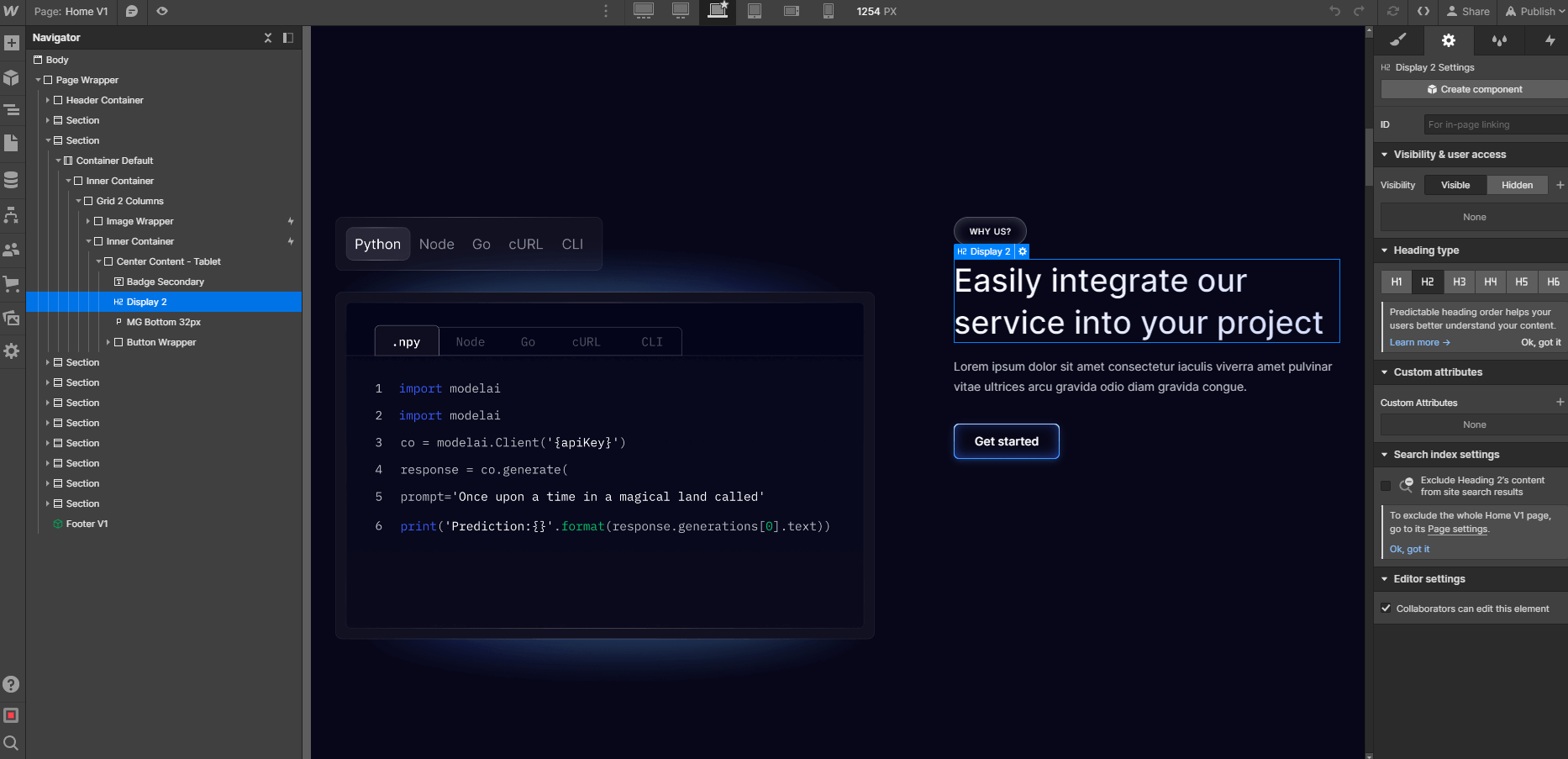
You can easily identify all this content because it's shown as grey in the left sidebar Navigator, and it shows a blue border when you click or hover over it.
If you want to edit this type of content, you can just double click it, and you will be able to directly type right there.
Dynamic Content (CMS)
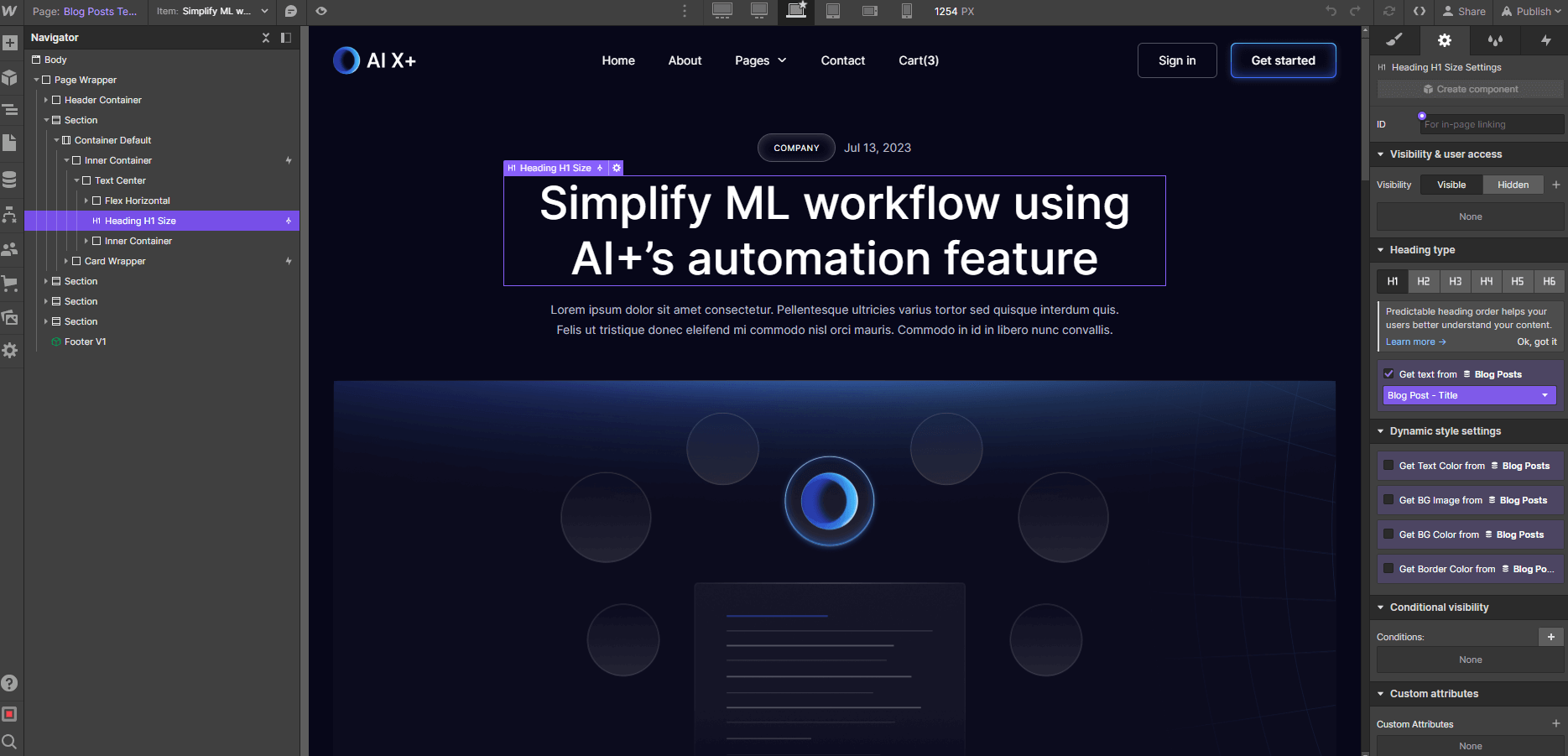
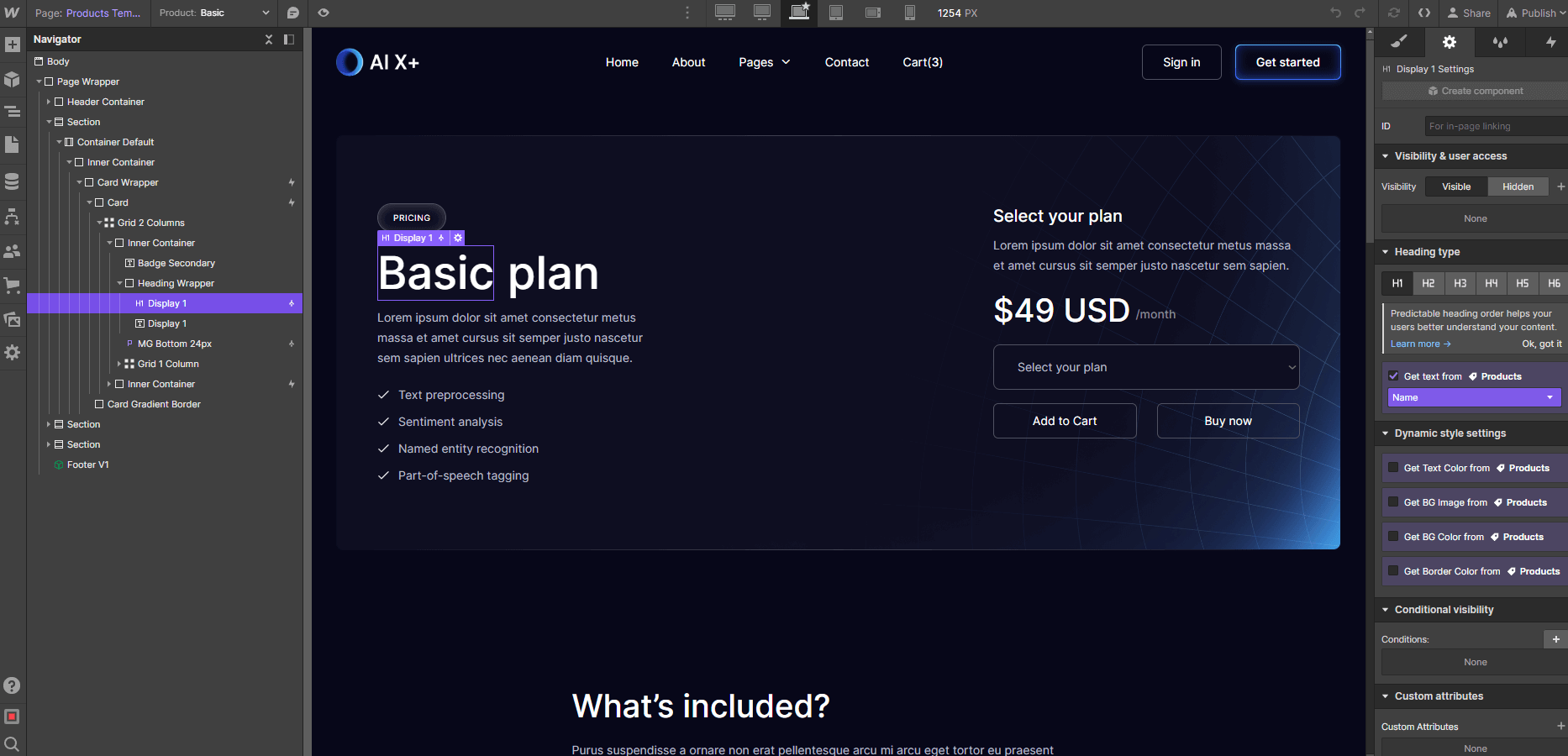
Dynamic Content is all the content that is dynamic and will be auto-generated based on the content added in the CMS section in the left sidebar (just below Pages icon).
You can easily identify all of this because it's shown as purple in the left sidebar Navigator, and it shows a purple border when you click or hover it.
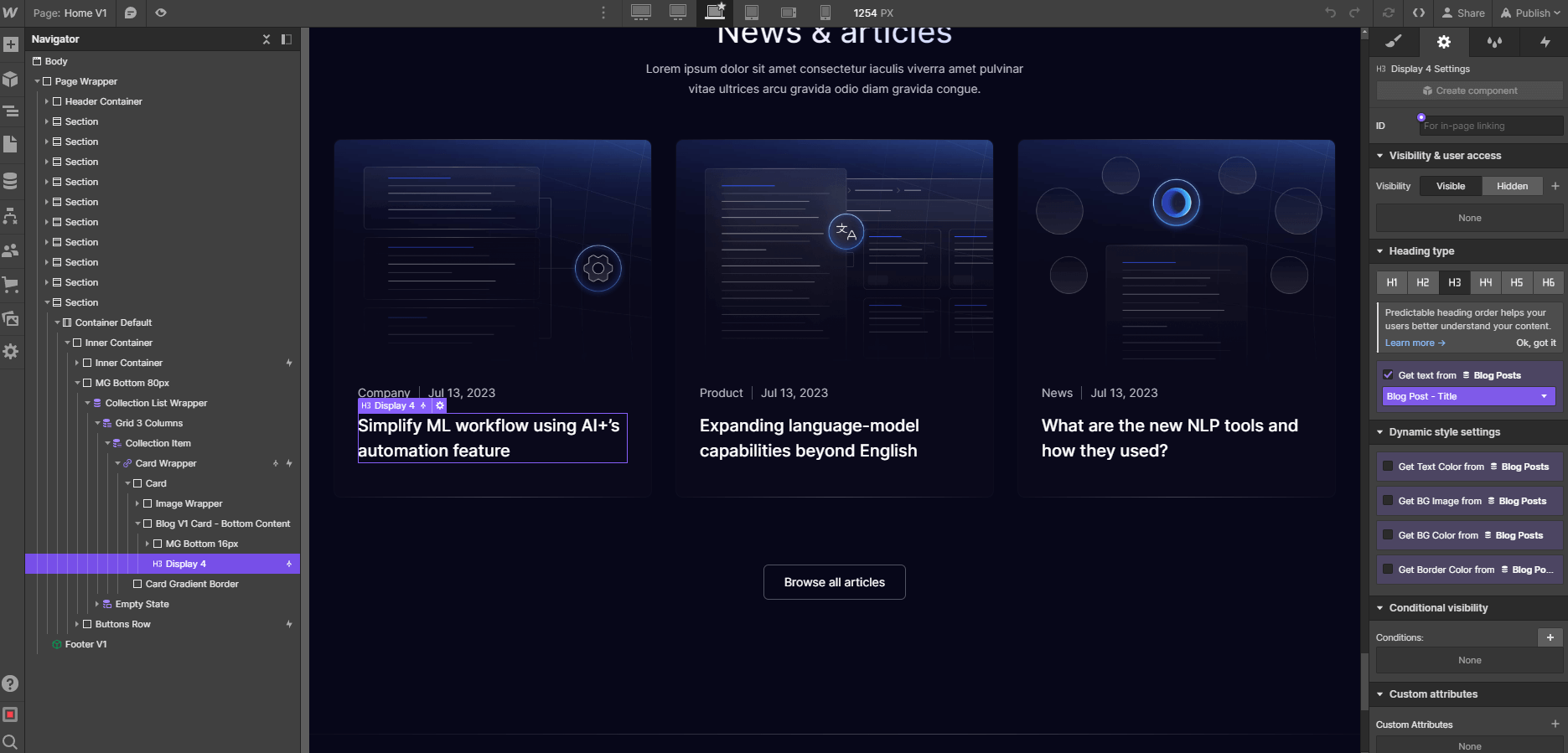
This content should be updated directly in the CMS section. This is meant to make it very easy for you to update it, as it's very likely it will need to be constantly updated (For example, adding a new blog post)
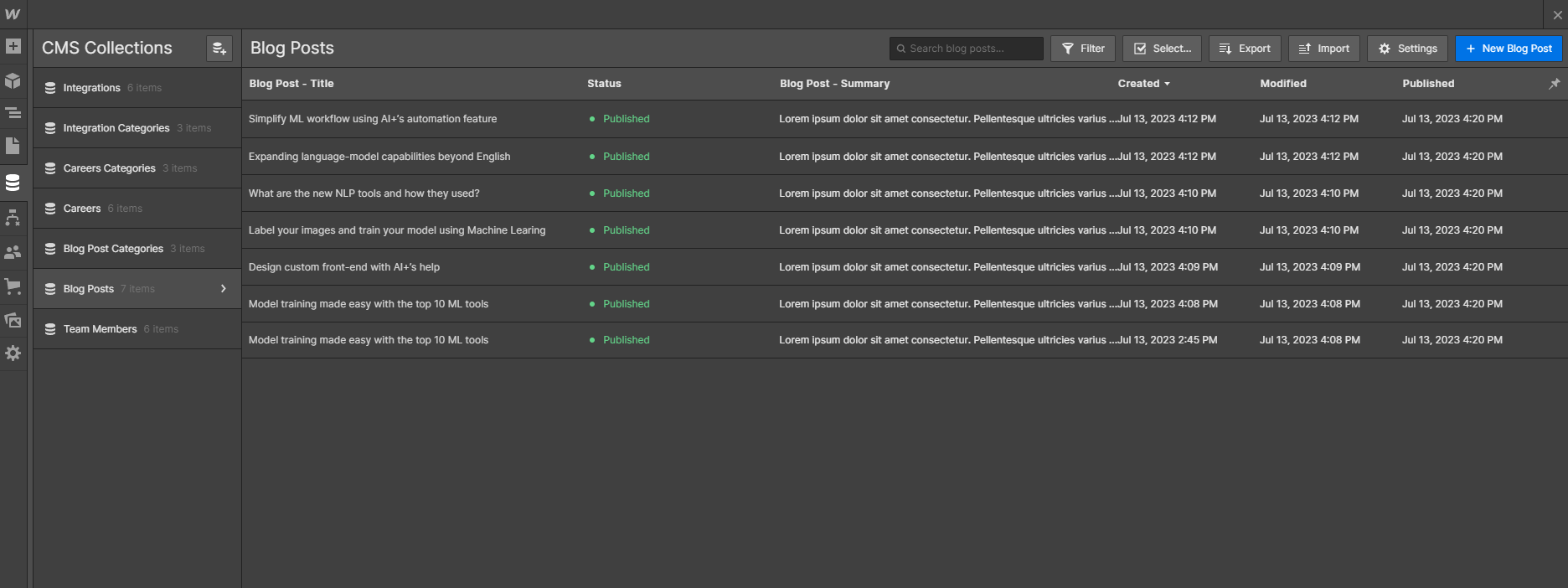
Also, if you want to edit a complete auto-generated CMS page (for example, a Blog Post), you will find this page available for editing in the bottom of all pages in the Pages section in the left sidebar.
Products (eCommerce)
Products or eCommerce content function in a similar way to the CMS dynamic content, however, this is focused exclusively for eCommerce products.
You can identify eCommerce content in a similar way to the CMS content, because it's also shown as purple in the left sidebar Navigator, as well as with a purple border when you click or hover it.
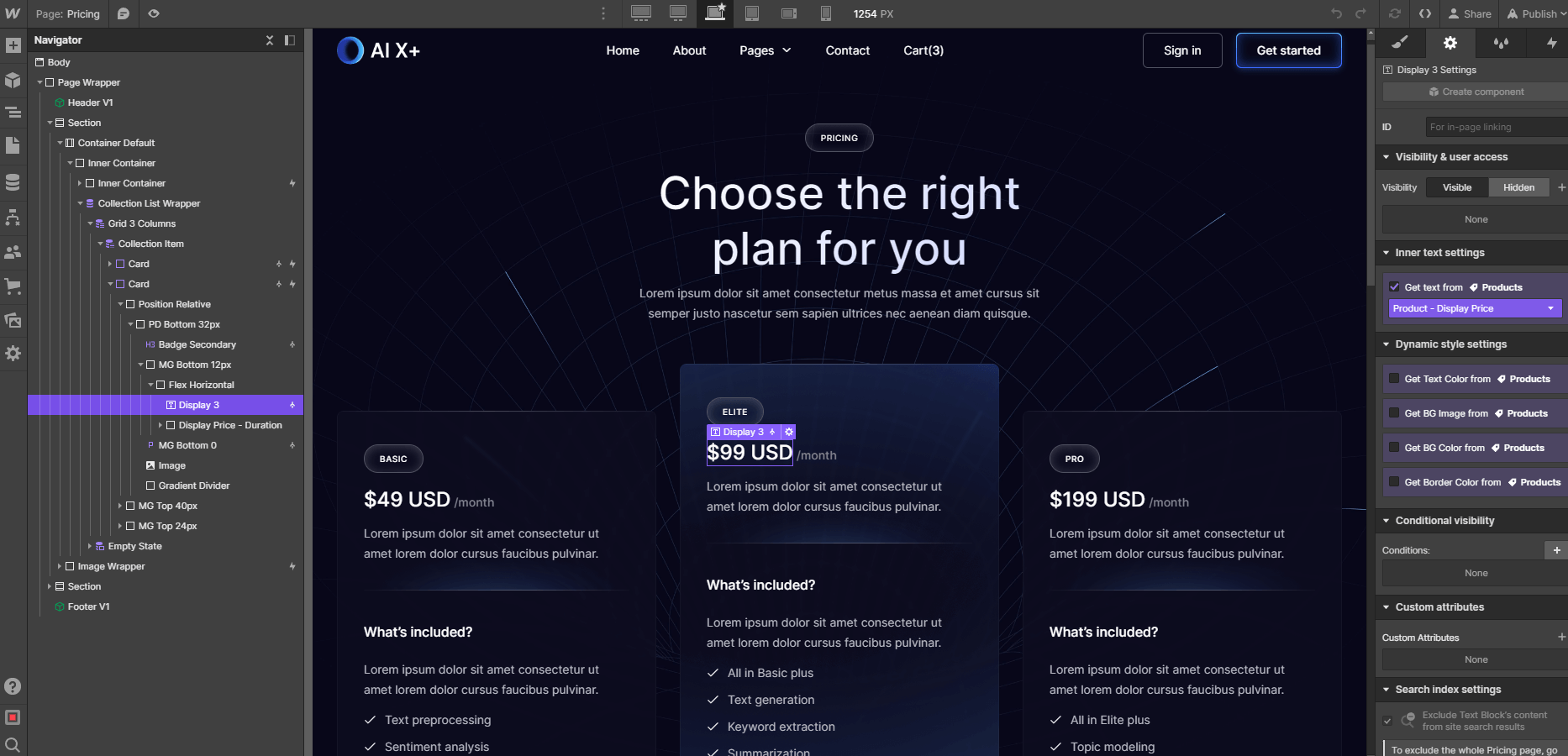
This content should be updated directly in the eCommerce tab in the left sidebar. This is meant to make it very easy for you to update it, as it's very likely it will need to be constantly updated (For example, changing a product price, or adding more stock)
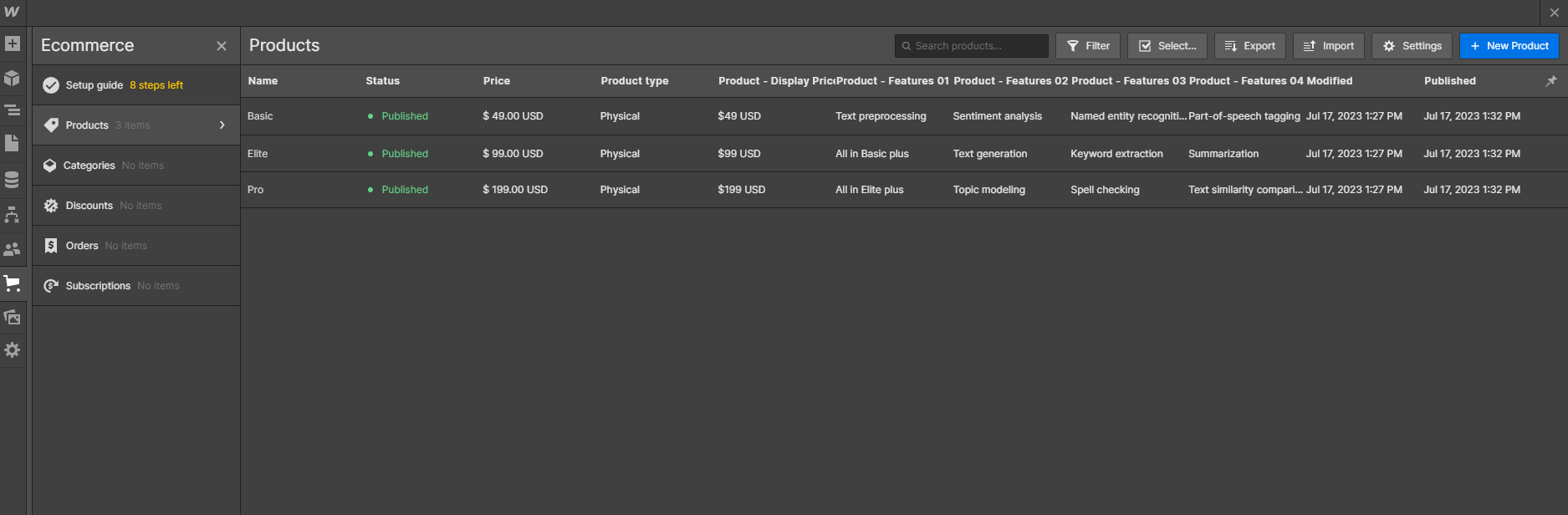
Also, if you want to edit the autogenerated product eCommerce page, you will find this page available for editing almost at the bottom of all pages just above CMS collection pages.
AI Use Case Opportunities
By integrating deep insights into both your organizational context and the latest AI advancements, we identify and illuminate AI opportunities that are most likely to drive significant business value.
Interactions
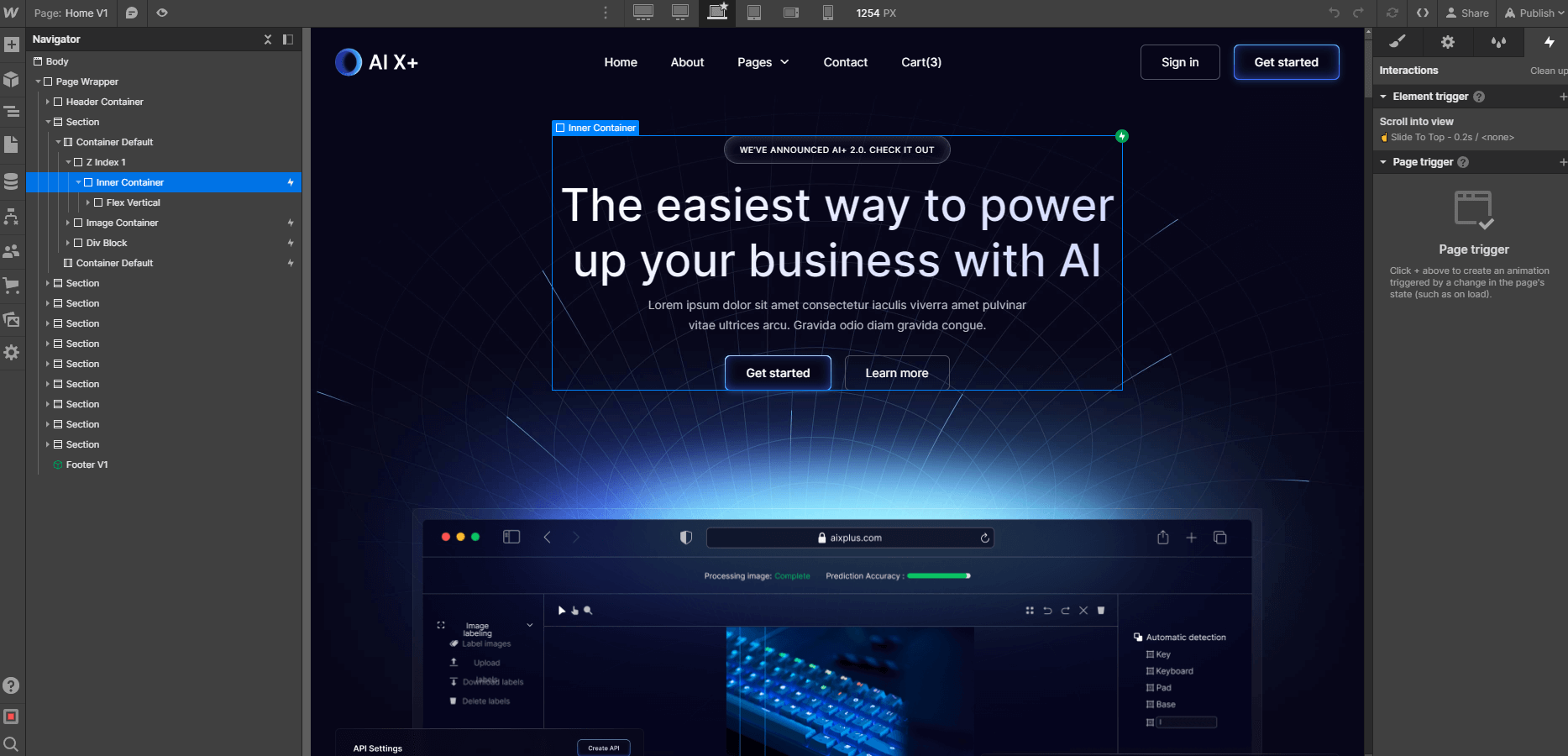
If you would like to edit any template Interaction (i.e. removing a appear effect), you can easily identify elements that have interactions as these have a small Interactions icon (a small thunder) in the left sidebar Navigator.
If you click this little Interactions icon, you will open the right sidebar Interactions tab for this element, where you can edit the interaction.
Mobile or Tablet View
Everytime you make a change (for example, you create a new section design), it's a good practice to go to your Viewport top navigation and see how it looks on Tablet and Mobile.

If you only edit a Template section with updated text or images and you don't erase any Template class, this should not be needed, however, if you customize the template more deeply, edit classes, or create new sections, it's always good to constantly edit your mobile and tablet views to ensure everything is looking perfect.
Editing Meta Title, Desc and Featured Image
If you would like to customize the Title, Description and Image that is shown when you share your website on any place (i.e. Facebook, Twitter, etc), you can easily go to the Pages section in the left Sidebar, click the little Settings icon of the page you would like to customize, and all these settings will appear.
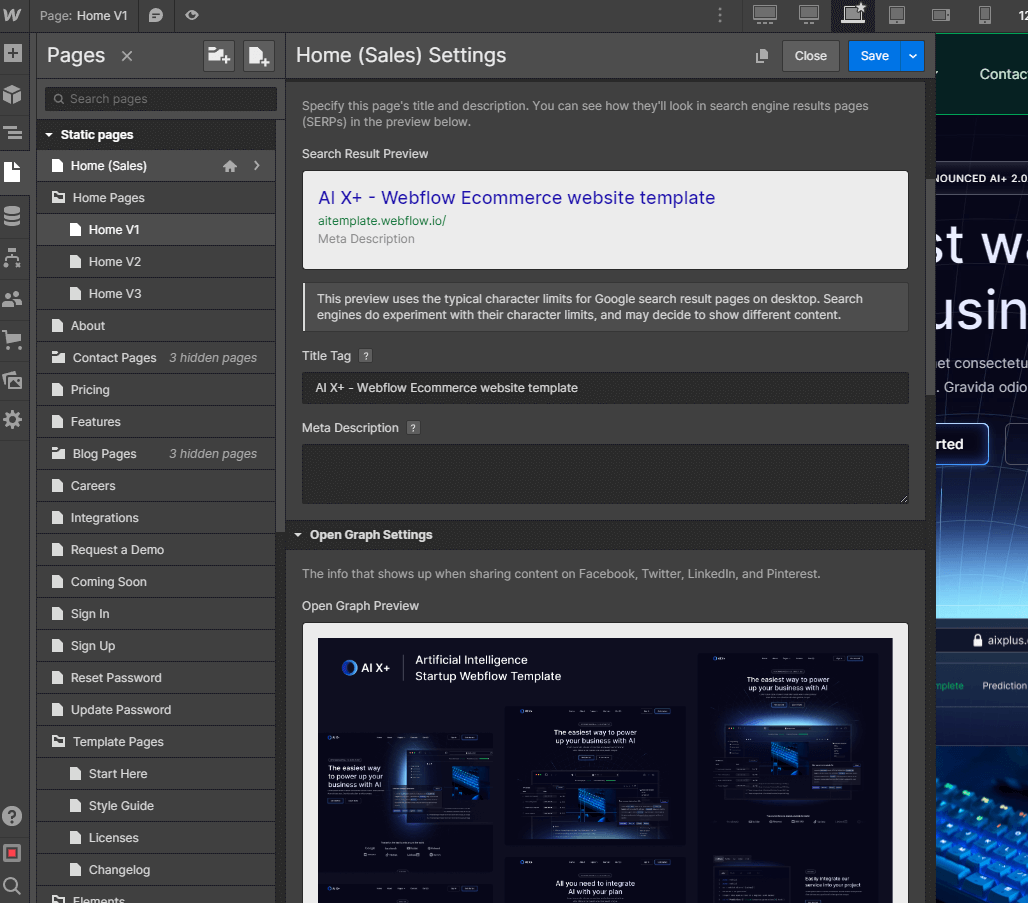
Please note it's important to change this on page basis.
Backups
If something goes wrong, for example, if you are not liking where the website is going to, if you deleted some critical classes that were required to make the Template look nice, or if you just want to go to a previous version for any reason, you can always go to the Backups section.
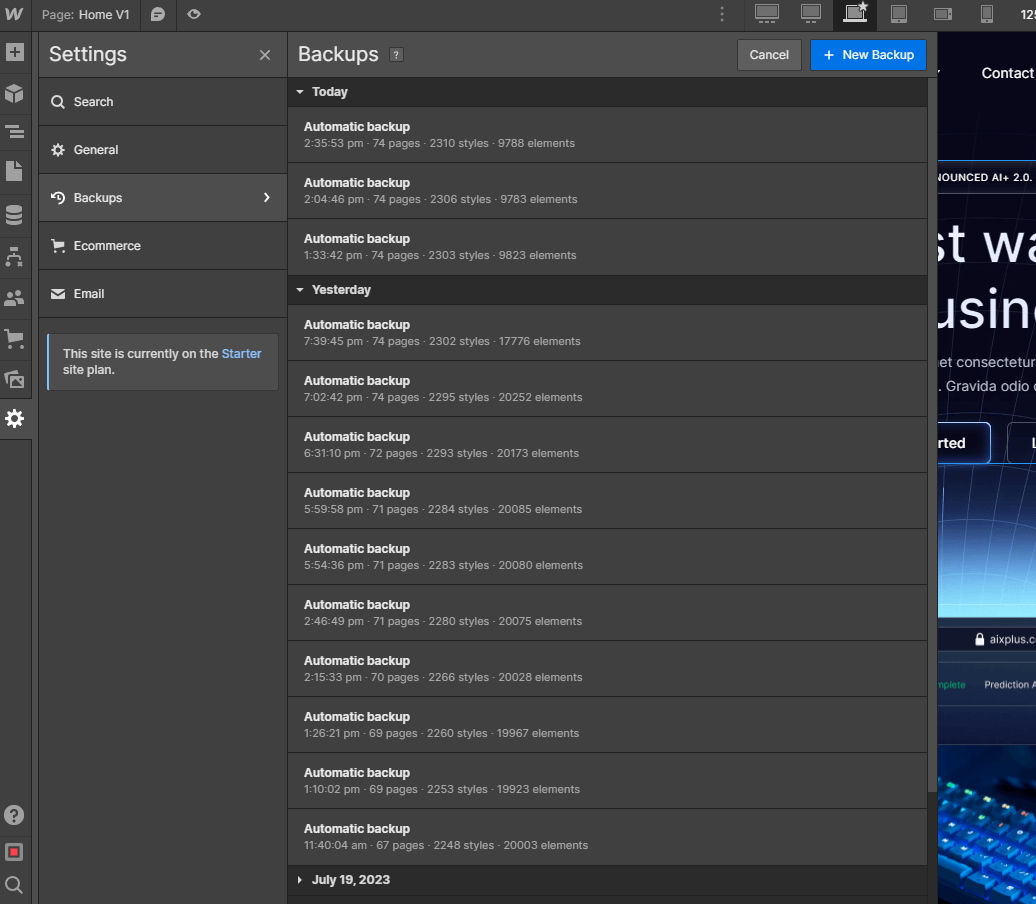
You can find it in the Settings section in the left Sidebar, and then you can just see all the automatic or manual backups. Restoring to the old backup is just a click away.
Aligning AI with Business Objectives
We focus on harnessing AI in areas that matter most to your enterprise, transforming potential AI applications into tangible impacts that resonate with your specific business objectives.
Custom Design & Development
On the other hand, if you are looking for help to build an unique and personalized version of AI X+, or just an amazing website designed & developed from scratch on Webflow, feel free to get in touch with our Webflow Design & Development Agency. The amazing team behind AI X+ Webflow Template can help you.
Empowering Innovation
With Infusion AI’s Use Case Identification, your business is equipped to not only adopt AI but to innovate continuously, keeping you ahead in a rapidly evolving technological landscape.